Email settings for other apps: Outlook (classic) · New Outlook · iPhone / iPad · Android · Mac Mail · Thunderbird
Mail app · iOS / iPadOS
Steps
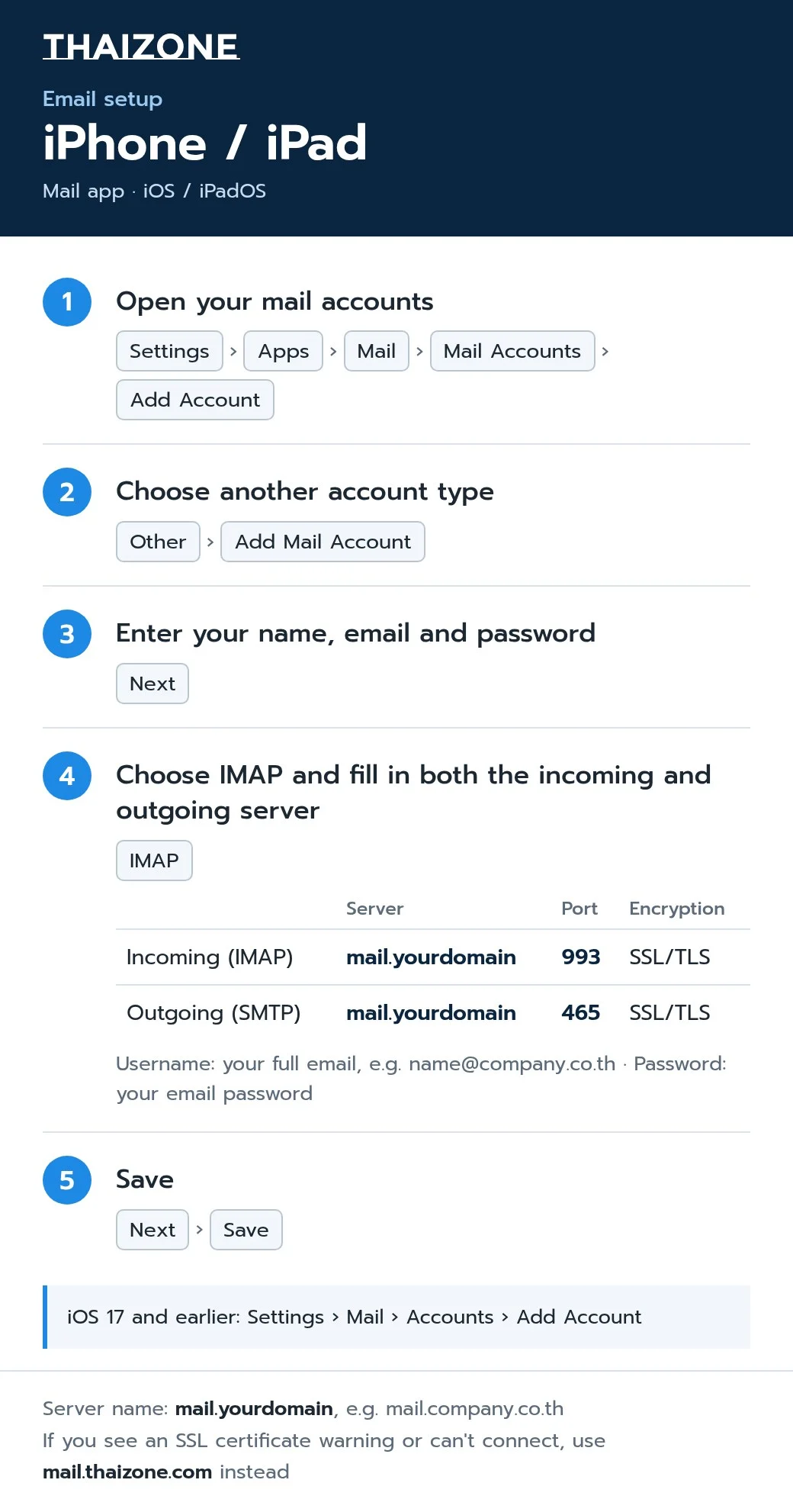
- Open your mail accounts
Settings › Apps › Mail › Mail Accounts › Add Account - Choose another account type
Other › Add Mail Account - Enter your name, email and password
Next - Choose IMAP and fill in both the incoming and outgoing server
IMAP - Save
Next › Save
Settings to enter
| Server | Port | Encryption | |
|---|---|---|---|
| Incoming (IMAP) | mail.yourdomain | 993 | SSL/TLS |
| Outgoing (SMTP) | mail.yourdomain | 465 | SSL/TLS |
Username: your full email, e.g. [email protected] · Password: your email password
If your mail app shows an SSL certificate warning or can't connect, use mail.thaizone.com instead of mail.yourdomain
iOS 17 and earlier: Settings › Mail › Accounts › Add Account